
Implementing an enterprise AI platform is more than choosing an AI model and giving employees access to it.
For AI to provide meaningful value across an organization, it needs access to the right business context. We've already covered how enterprise AI can connect to ERP systems like JD Edwards, which is a natural place to start. But the information AI needs may also live in databases, documents, CRM platforms, communication tools, and other applications.
The challenge is determining what actually needs to be connected.
It is easy to assume that enterprise AI needs access to everything. But more connections do not automatically make an AI platform more useful. Each connection should serve a specific purpose based on what you want the AI to accomplish.
An AI assistant designed to answer questions about company policies may only need access to a knowledge repository. An AI agent designed to help resolve customer issues may need information from your ERP, CRM, documents, and other applications.
Before deciding how to integrate an enterprise AI platform, organizations should first understand the major types of connections that can make enterprise AI useful.
What Does It Mean to Connect an Enterprise AI Platform?
Connecting an enterprise AI platform doesn't necessarily mean copying all of your business data into one AI system.
Instead, connections allow AI to securely interact with the information and applications it needs to perform a specific task.
Depending on the use case, that could mean retrieving information from an ERP, searching company documents, or initiating an approved business process.
The level of access can also vary. Some AI use cases only require read access, meaning the AI retrieves information without changing anything. Others may require the AI to take action, such as creating a request, updating information, or initiating a workflow.
That distinction becomes important when deciding which systems need to connect and what the AI should be allowed to do within them.
So, what should you consider connecting to your enterprise AI platform? Here are five areas to consider based on your use case.
1. Your ERP System
For many organizations, the ERP is the logical starting point because it contains much of the operational information used to run the business, including orders, inventory, purchasing, manufacturing, invoices, suppliers, and financials.
Connecting AI to an ERP can allow employees to retrieve that information conversationally or, in more advanced use cases, allow an AI agent to initiate approved business processes.
But the ERP rarely contains everything an AI use case needs. That's where the other connections become important.
2. Your Enterprise Data and Databases
Not every piece of useful business information lives inside the ERP.
Organizations often have data spread across databases, data warehouses, reporting environments, CRM systems, and other sources. Depending on the organization's technology environment, that might include platforms such as Oracle Database, Microsoft Azure data services, Snowflake, Databricks, or other cloud and on-premises data environments.
If an AI platform only has access to one system, it may only see one part of the story.
For instance, answering a business question might require combining current ERP transaction information with historical performance data stored somewhere else. Connecting those sources can give AI the additional context needed to provide a useful response.
3. Your Documents and Knowledge Sources
Some of an organization's most valuable information isn't stored neatly in database fields.
It lives in documents.
Policies, procedures, contracts, manuals, product documentation, training materials, and other internal resources can provide important context that an enterprise AI platform may need.
These sources could live in platforms such as Microsoft SharePoint, OneDrive, Google Drive, Confluence, or other document and knowledge management systems.
Connecting those sources can allow employees to ask questions using natural language and receive answers based on information specific to their organization.
Imagine an employee needs to know the company's policy for handling a particular type of customer request. Instead of searching through folders or opening multiple documents, the employee could ask the AI. The platform could search approved knowledge sources, identify relevant information, and use it as context for the response.
This is often where retrieval-augmented generation, or RAG, enters the enterprise AI conversation.
Despite the technical name, the basic idea is straightforward: rather than asking AI to answer solely from what the underlying model already knows, the system retrieves relevant information from approved business sources and uses it as additional context.
That can make AI significantly more useful for organization-specific questions.
It also makes maintaining those knowledge sources important. If documents are outdated, duplicated, or inaccurate, connecting them to AI won't automatically fix the underlying information problem.
4. Your Business Applications
Most business processes don't happen entirely within one system.
Employees may move between an ERP, CRM, ecommerce platform, procurement system, HR application, ticketing system, logistics software, and other specialized tools to complete a single process.
Common examples could include Salesforce or Microsoft Dynamics 365 for CRM, ServiceNow for service management, Workday for HR, or other applications specific to an organization's processes.
That matters when organizations begin looking at AI for more than answering questions.
Suppose an AI agent is helping handle a customer request. It may need to retrieve customer information from a CRM, check order or inventory information in the ERP, reference a company policy stored in a document repository, and then update another system once the request is complete.
Connecting only one of those systems would leave part of the process outside the AI's reach.
Integration technologies provide ways for an enterprise AI platform to communicate with these applications. The goal isn't necessarily to replace the systems employees already use. Instead, AI can work across them to reduce some of the manual searching, data entry, and handoffs required to complete a process.
This is why the business process should help determine the integration strategy. Once you understand what the AI is expected to accomplish, you can identify which applications it needs to interact with.
5. Your Communication and Workflow Tools
Not every AI interaction needs to begin inside a dedicated AI application.
Employees already spend much of their day working in communication and workflow tools. Depending on the organization, that could include Microsoft Teams, Outlook, Slack, ServiceNow, Jira, or other applications employees use to communicate, manage requests, and complete work.
Connecting enterprise AI to these environments can allow employees to interact with AI where they're already working rather than constantly moving into another application.
For example, an employee could interact with an AI agent through a collaboration platform, while the agent retrieves information or performs approved work across connected business systems behind the scenes.
These connections can also provide a natural place for human involvement.
An AI agent might complete several steps of a process but encounter a decision that requires employee approval. The workflow could route that decision to the appropriate person where they are likely to get the notification and continue once approval is received.
The result isn't necessarily a fully autonomous process. Instead, AI can handle appropriate parts of the work while employees remain involved where their judgment or authorization is needed.
How Do You Decide Which AI Connections You Actually Need?
Seeing all the possible systems an enterprise AI platform can connect to can make integration feel like a massive project.
It doesn't have to start that way.
Rather than beginning with the question, "What systems can we connect to AI?" start with:
"What do we want AI to accomplish?"
Once you have a clearly defined use case, work backward.
What information does the AI need?
Identify the information required to perform the task successfully.
Where does that information live?
Determine which ERP systems, databases, documents, or applications contain it.
What systems does the AI need to interact with?
Some systems may only provide information, while others may be part of the actual workflow.
Does the AI need to retrieve information or take action?
An AI assistant that answers questions may require very different access than an AI agent that can initiate business processes.
Where should a person remain involved?
Determine which actions AI can complete independently and which decisions should require human review or approval.
Working backward from the use case helps organizations focus their integration efforts on specific business outcomes rather than building connections simply because the technology makes them possible.
What Are the Biggest Risks When Connecting Enterprise AI to Your Systems?
Connecting AI to enterprise systems creates opportunities, but it also introduces responsibilities.
One of the biggest considerations is access.
An employee shouldn't suddenly gain access to sensitive financial, customer, HR, or operational information simply because they asked an AI platform for it. Existing permissions and security requirements still matter.
Data quality is another consideration. AI can retrieve information quickly, but if the underlying source contains outdated or inaccurate information, the resulting answer may still be wrong.
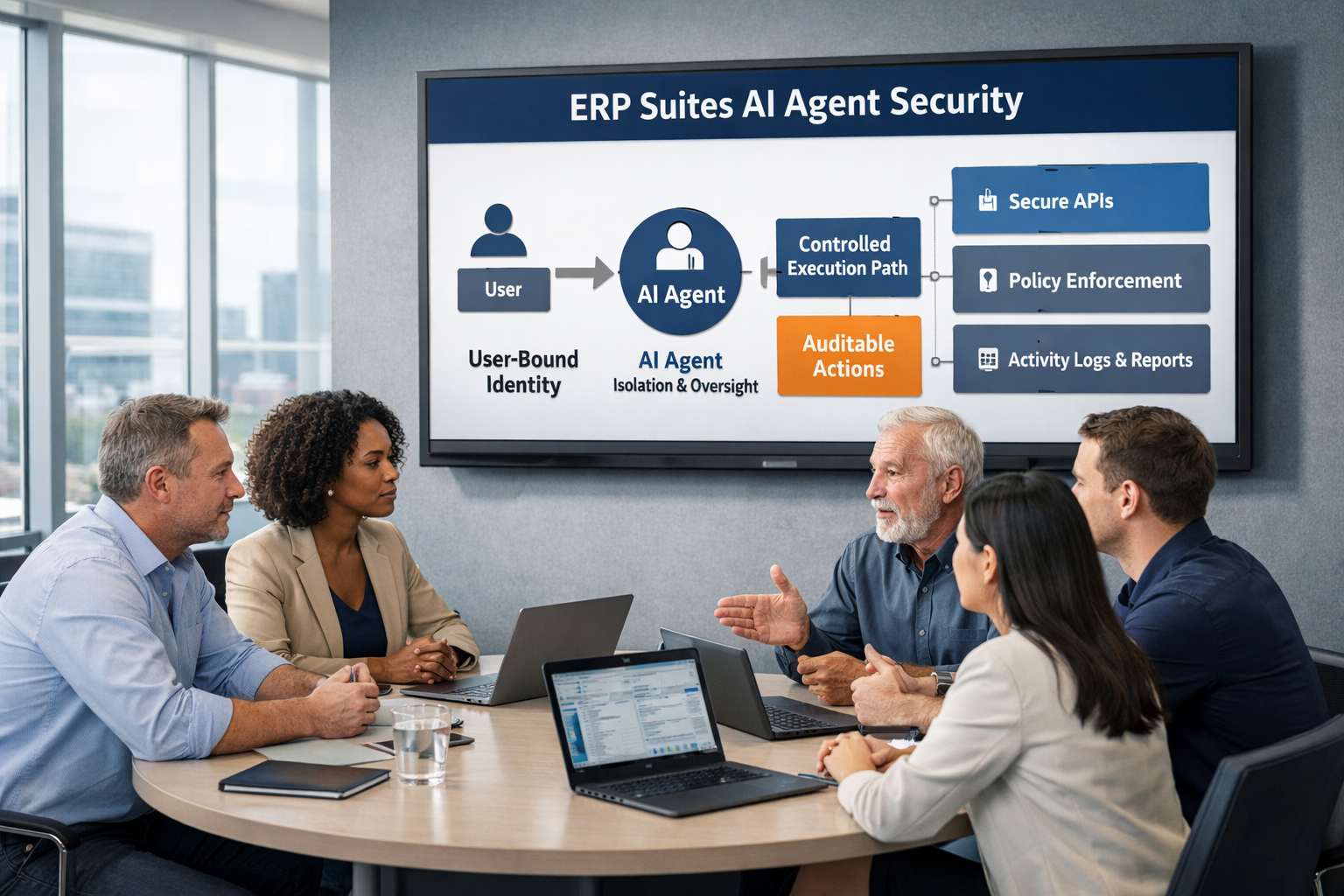
Organizations also need appropriate controls around what AI can do. Security, permissions, monitoring, validation, and human oversight should be considered as part of the integration strategy, particularly when AI is able to initiate actions rather than simply retrieve information.
The appropriate controls will depend on the use case and the level of access the AI requires.
Final Thoughts: Start With the Use Case, Not the Connections
Enterprise AI becomes more valuable when it can work with the information and systems that already run your business.
But that doesn't mean every AI implementation needs to connect to every part of the business.
A platform designed to answer questions about internal documents could have relatively simple integration requirements. An AI agent responsible for supporting an end-to-end business process may need to interact with an ERP, databases, documents, and employee workflows.
That's why the best place to start isn't the technology. It's the business problem.
Define what you want AI to accomplish, determine what information and actions are required, and then identify the connections necessary to make that possible.
For organizations running JD Edwards or other enterprise applications, ERP Suites can help evaluate potential AI use cases, determine the systems and data involved, and build an integration strategy that connects enterprise AI to the business without creating unnecessary complexity.
The right enterprise AI architecture isn't the one connected to the most systems. It's the one connected to the right systems for the job you want AI to do.