
Think about a process your team completes in JD Edwards every day.
Maybe it’s setting up a new item, updating master data, printing an invoice, or generating a pick slip. The process works, but getting from start to finish requires navigating multiple screens, entering information, and clicking through the same steps every time.
One process may not seem like a significant burden. But when employees repeat it dozens or hundreds of times each month, those clicks start to add up.
A new item setup could require around 50 clicks. Printing or reprinting an invoice may involve 10 or more steps, while generating a pick slip could require 15. Multiply that across employees, transactions, and an entire year, and a seemingly small inefficiency can consume a surprising amount of time.
JD Edwards Orchestrator provides another way to approach these processes.
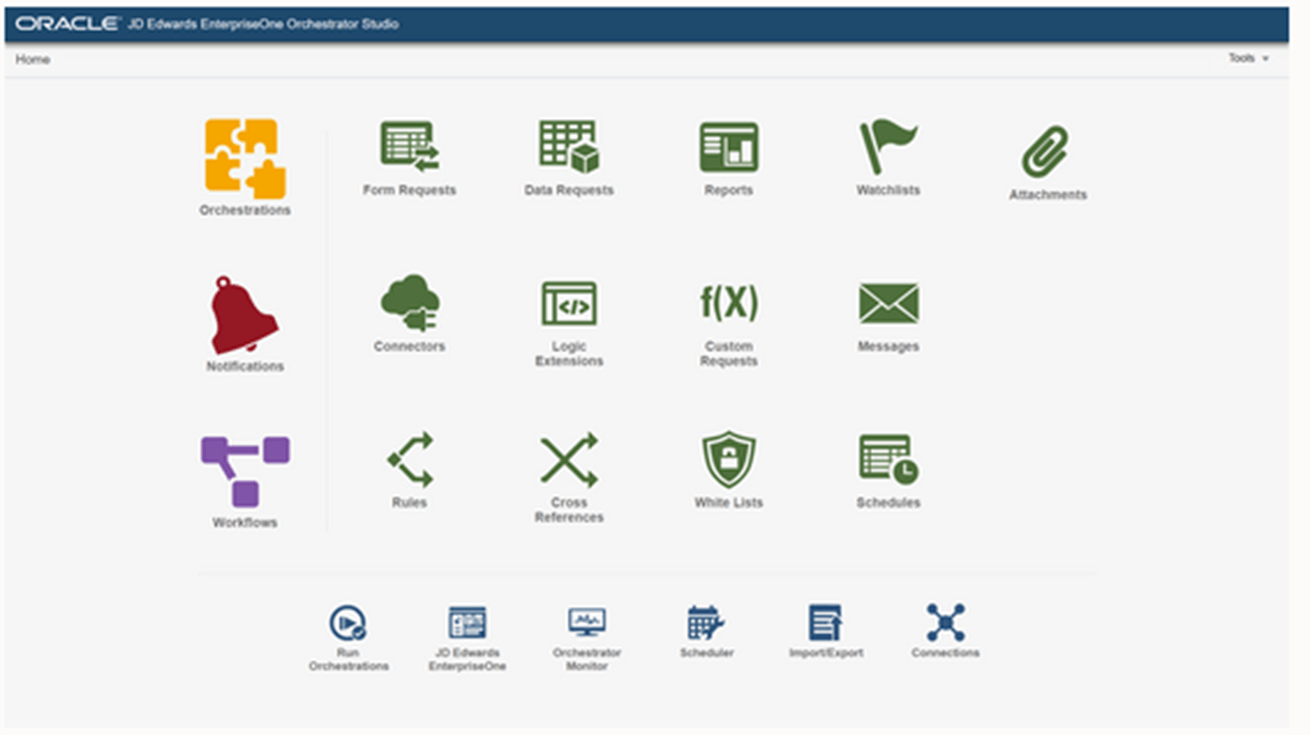
Instead of relying on employees to complete every repetitive step manually—or building a customization to work around the process—Orchestrator can automate a sequence of actions using JD Edwards applications and business logic.
The result can be a simpler process with fewer clicks, greater consistency, and more time for employees to focus on the work that actually requires their attention.
Why Is There So Much Manual Work in JD Edwards?
JD Edwards can support complex business processes, but that doesn’t mean every process is efficient for the person completing it.
Over time, employees may become accustomed to navigating several screens, copying information from spreadsheets, entering the same types of data, or completing a long series of steps to accomplish a relatively simple task.
Eventually, those steps become part of the routine.
The bigger concern is what happens around those manual processes. Inconsistencies or data-entry errors can create downstream problems, while slow processes can become bottlenecks for other parts of the business. An order may remain on hold longer than necessary, vendor setup can take more time, or another department may have to wait for information before continuing its work.
Organizations sometimes respond by simply accepting the process because it works. Others build custom solutions to make it easier. But customizations can introduce their own development, testing, maintenance, and upgrade considerations.
Orchestrator gives organizations another option: automate steps using functionality designed to work with JD Edwards.
How Does JD Edwards Orchestrator Simplify Repetitive Processes?
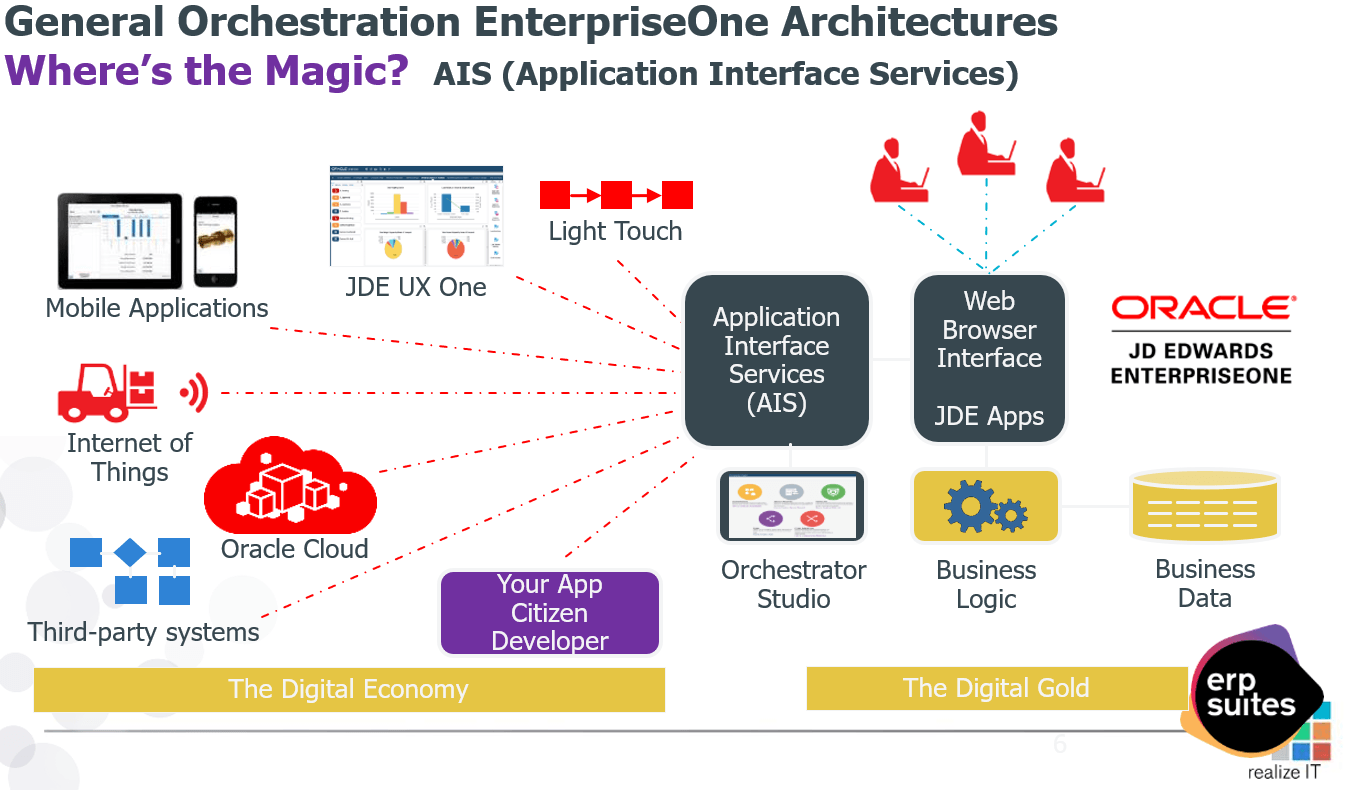
JD Edwards Orchestrator allows organizations to build automated workflows that perform actions a user would otherwise complete manually.
Rather than asking an employee to navigate through several applications and screens, an orchestration can execute a predefined series of steps. Depending on the process, the user may initiate the workflow from a button or another entry point and allow the orchestration to handle the work behind it.
That doesn’t necessarily mean removing people from the process.
The goal is to determine which steps require human judgment and which are predictable enough to automate. Employees can remain responsible for reviewing information, resolving exceptions, or making decisions while Orchestrator handles repeatable actions.
That distinction is important. A good automation strategy isn’t about automating everything possible. It’s about removing unnecessary effort from processes employees perform again and again.
What Does an Automated JDE Process Look Like in Practice?
New item setup provides a useful example.
Creating and maintaining an item can require entering information across multiple areas of JD Edwards, including item master and branch/plant records. Depending on the organization, employees may also need to populate category codes, weights and measures, manufacturing values, planning information, lead times, and other fields.
When that information already exists in a spreadsheet or another data source, an employee may spend much of the process transferring it into the correct JDE screens.
An orchestration can change that workflow.
Instead of manually entering each piece of information, data can be provided to an orchestration, which then works through the necessary JD Edwards applications to create or update the appropriate records.
The input doesn’t necessarily have to come from a spreadsheet. Depending on the workflow, Orchestrator can also work with data from other accessible sources, including CSV, JSON, XML, or external databases.
The important difference is what happens after the information is available.
Instead of an employee performing the same sequence of clicks for every item, the orchestration can perform those predefined steps consistently. That’s how a process that once required dozens of individual actions can become something much simpler for the end user.
What JD Edwards Processes Can You Automate with Orchestrator?
Item setup is only one possibility.
Orchestrator can support automation opportunities across areas such as master data, finance, forecasting, order-to-cash, procure-to-pay, invoices, pick slips, and other document-driven or transactional processes.
While the individual use cases may look different, the common opportunity is reducing the number of routine actions employees need to perform to move a process forward.
An employee who currently has to navigate several JDE screens to complete a task may be able to initiate an orchestration instead. Another process might use incoming data to automatically create or update records. Or an orchestration might perform a series of actions and then notify an employee when their attention is required.
The possibilities can extend across departments and business functions. But just because a process can be automated doesn’t automatically mean it should be.
That requires looking at the value the automation could actually create.
How Does Orchestrator Handle Errors, Security, and Business Rules?
Reducing manual steps shouldn’t mean removing the controls that protect your business processes.
Orchestrations can work through standard JD Edwards applications, which means the automation can still encounter the validations that would apply if a person were performing the process.
If an orchestration attempts to use a value that doesn’t exist or create a duplicate item where JD Edwards would normally prevent it, automation doesn’t mean JDE simply ignores the problem.
Organizations can also design workflows around exceptions.
An orchestration could stop when certain conditions are met, generate an exception report, or send a notification when someone needs to take action. If a new item is created but still requires cost information, a notification could alert the appropriate department that its part of the process needs to be completed.
Security also needs to be considered when the orchestration is designed and deployed. Automating a process shouldn’t give someone the ability to perform an action they wouldn’t otherwise be authorized to complete.
The objective is controlled automation: simplify the process while maintaining the validations, security, and human oversight the business requires.
How Do You Know Which Manual JDE Process to Automate First?
You don’t need to start by looking for your organization’s biggest or most complicated process.
Start by looking for repetition.
Ask your employees what they do dozens—or even hundreds—of times every month. Look for processes that require users to navigate multiple screens or perform the same sequence of clicks every time.
Then look outside JD Edwards.
Where are employees relying on spreadsheets, emails, copy-and-paste, or other manual work to move a process forward? Those workarounds can be indicators that a process deserves a closer look.
A few factors can help prioritize opportunities:
- Frequency: How often is the process performed?
- Time: How long does each transaction take?
- Steps: How many manual actions are involved?
- Consistency: Does the process follow predictable rules?
- Errors: How often does manual entry create problems?
- Impact: Does a delay affect another employee, department, customer, or supplier?
Processes that occur frequently, follow clearly defined rules, and consume employee time are often stronger candidates than workflows that happen occasionally or depend heavily on human judgment.
A five-minute task performed once a month probably isn’t your highest priority. A five-minute task performed hundreds of times each month is a different story.
Start where small improvements can compound into meaningful results.
Is JD Edwards Orchestrator Worth the Investment?
JD Edwards Orchestrator can be worth the investment when the time, errors, or delays eliminated through automation outweigh the cost and effort required to implement it. With ERP Suites, three Rapid Orchestrations are available for $15,000, giving you a concrete cost to compare against the potential return.
A relatively simple way to estimate the opportunity is to look at transaction volume, time saved per transaction, and the cost of the employee time currently required to perform the work.
A simple calculation is:
Transactions per month × time saved per transaction × labor cost per month = potential monthly labor savings
That calculation can give you a starting point, but it shouldn’t be the entire business case.
Consider what happens when a manual error occurs. How long does it take to identify and correct it? Does it create downstream work for another department? Could faster processing shorten cycle times or prevent work from sitting in a queue?
Employee capacity matters, too. Saving time can free employees to focus on exceptions, analysis, customer needs, or other higher-value responsibilities.
At the same time, not every manual process needs to be automated. If a workflow happens infrequently or is extremely complicated to automate, the investment may outweigh the benefits.
The goal is to identify where automation can create enough measurable value to justify the effort.
Final Thoughts: Reducing Repetitive Work in JD Edwards
A JD Edwards process that requires dozens of clicks today doesn’t necessarily need to stay that way. Orchestrator can simplify many routine, rules-based processes while allowing JDE to continue applying the validations, security, and controls your organization depends on.
Organizations can build orchestrations themselves based on their specific processes and requirements. For teams looking for a faster starting point, ERP Suites also offers Rapid Orchestrations based on proven automation frameworks for common JD Edwards processes. These frameworks can then be tailored to an organization’s data, security, and business requirements.
Whether you build an orchestration yourself or start with an existing framework, begin with a simple question: Where are your employees spending time on steps that technology could be handling instead?
The answer may reveal that 50 clicks doesn’t need to stay 50 clicks.
Topics:



.png?width=650&height=325&name=Blog%20Images%202_1%20(6).png)
.png?width=960&height=540&name=Blog%20Images%20(90).png)
.png?width=960&height=540&name=Blog%20Images%20(63).png)
.png?width=960&height=540&name=Blog%20Images%20(59).png)
.png?width=960&height=540&name=Blog%20Images%20(50).png)