
AI agents need access to enterprise systems to do meaningful work. Whether they are retrieving information, processing transactions, or completing steps in a business process, they need a way to interact with the systems and data employees already use.
But giving an AI agent access does not mean giving it unlimited authority.
AI agents can securely access enterprise systems when their connections are authenticated, their permissions are limited to authorized work, and their actions follow established business rules. Organizations also need approval controls, audit trails, and testing to verify those safeguards work before an agent enters production.
So, how can you give AI agents the access they need without introducing unnecessary security risk? It starts with treating security as part of the agent's design, not something added after deployment.
What Are the Biggest Security Risks When Giving AI Agents Access?
One of the biggest risks is giving an AI agent more authority than it needs.
For convenience, an organization might initially configure an agent using a generic account with broad administrative permissions. While that approach may simplify early development, it can create problems when the agent begins interacting with real business information.
If an agent operates through a shared account with elevated permissions, it may be able to access information or perform transactions that the person requesting the work would not normally be authorized to complete. It also becomes more difficult to determine who was responsible for initiating a particular action.
But excessive permission isn't the only concern. AI agents can also encounter misleading or malicious instructions hidden within documents, emails, or other information they process. Without appropriate safeguards, an agent could mistake those instructions for legitimate requests and attempt actions it was never authorized to perform.
Sensitive data exposure is another risk. Depending on how an agent is connected to an AI platform, business information may be transmitted to an external provider. Organizations also need to protect the credentials and connections agents use to access enterprise systems, since compromised credentials could provide unauthorized access to business information or transactions.
These risks make it important to evaluate not only what an agent is designed to do, but also how it connects to enterprise systems and what protections are in place if something unexpected occurs.
How Should You Control What an AI Agent Can Access?
A fundamental principle of secure AI agent access is least privilege.
Least privilege means giving an agent only the access necessary to perform its assigned responsibilities, rather than providing broad permissions simply because they are available.
One way to enforce this is through role-based access control (RBAC), which determines which information and functions a user can access based on their assigned role within an enterprise system.
When an AI agent performs work on behalf of a user, the agent should operate within the permissions that apply to that user.
But how does the enterprise system know whose permissions to apply?
That depends on how the agent is connected and authenticated. Some implementations use delegated user authorization, while others use a dedicated identity for the agent with restricted permissions. In either case, the system needs a reliable way to identify the requesting user, authorize the requested operation, and prevent the agent from gaining broader access than intended.
In JD Edwards, this means ensuring that the existing security configuration continues to apply when an AI agent interacts with the system.
For example, when an agent interacts with JD Edwards through Orchestrator, the integration should be configured so that the appropriate JD Edwards user and role permissions are enforced. Simply connecting an agent to Orchestrator does not automatically establish which user's authority should apply. That must be addressed in the authentication and authorization design.
Even an agent designed exclusively to retrieve information needs appropriate permissions. Financial reports, customer information, employee records, and other sensitive data may be restricted to certain roles.
An agent should not expose information that the requesting user would not otherwise be permitted to access.
How Do You Control What an AI Agent Is Allowed to Do?
Giving an AI agent permission to access a system is only part of the equation. Organizations also need to establish boundaries around the actions it can perform.
These boundaries, often called guardrails, help keep an agent operating within its intended business process.
For example, an agent might be authorized to retrieve an order, verify its status, and initiate processing. However, if the order is on credit hold, the agent should not automatically remove that hold simply to complete the original request.
Instead, it should recognize that an additional action is required and request appropriate authorization. If the person requesting the work does not have permission to release the hold, the agent should not proceed with that action.
This is where existing business rules, application security, and approval processes become important.
Organizations can establish these boundaries by limiting which business functions an agent can invoke, defining the conditions under which those functions can run, and requiring approval for actions that exceed its assigned authority.
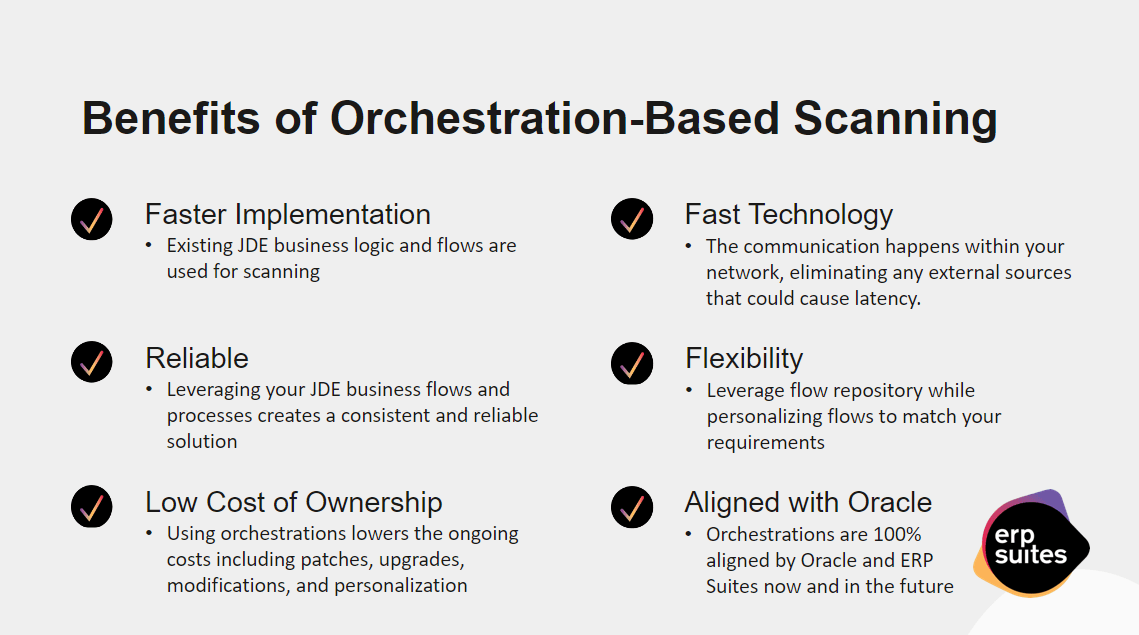
For JD Edwards environments, Orchestrator provides a way for agents to execute defined business processes while applying existing JD Edwards security controls.
Rather than allowing an agent unrestricted access to modify the underlying system, organizations can control which orchestrations are available and what those orchestrations are permitted to do.
Not every action performed by an AI agent requires human approval. An agent might be allowed to retrieve an invoice, verify information, and prepare it for processing without requiring approval at every step.
However, when an agent encounters a situation outside its established business rules or an action requiring additional authority, a person may need to step in.
These approval requirements should be determined during the agent's design rather than waiting until an unexpected situation occurs.
How Do You Know What an AI Agent Has Done?
Even with permissions and guardrails in place, organizations need visibility into what their AI agents are doing.
An audit trail should make it possible to review the actions an agent performed and compare those actions against the transactions recorded in the enterprise system.
Ideally, an audit record should identify the user who initiated the request, the agent or workflow that executed it, the action performed, and the resulting transaction. This gives organizations a way to trace activity back to its source rather than relying solely on the transaction recorded in the enterprise system.
In JD Edwards, this means being able to compare the agent's recorded activity with the relevant transactional records.
That comparison is important because an employee may also be performing transactions manually. Simply finding a transaction under a user's profile does not necessarily establish that an AI agent performed it.
For example, an employee might manually enter a voucher and later ask an AI agent to process additional vouchers. Both activities could appear under the same user's profile. To distinguish them, organizations need agent-specific execution records that can be correlated with the transactions in JD Edwards. Depending on the implementation, that may require additional logging or identifiers beyond the standard transaction history.
This also helps when an agent performs an unexpected action. By comparing the original request, the agent's recorded activity, and the resulting transactions, an organization can investigate whether the action was necessary, authorized, or outside the agent's intended responsibilities.
What Should You Have in Place Before Giving an AI Agent Enterprise Access?
Security should be established and tested before an AI agent begins performing work in a production environment.
One of the most important steps is testing the agent with the same security restrictions it will have after deployment.
Testing an agent with broad administrative access and then restricting its permissions in production can create unexpected problems. An agent may appear to function correctly during development, only to encounter permission errors or behave differently when the production security rules are applied.
Instead, organizations should test agents in a non-production environment using the actual roles and permissions intended for production.
Testing should verify both what the agent is allowed to do and what it is prevented from doing. For example, can it retrieve authorized information while being blocked from restricted data? Does it stop when a transaction requires additional approval? Can its actions be traced through the audit records?
Organizations should also test how an agent responds to unexpected requests or instructions embedded in the information it processes, particularly when those instructions attempt to trigger actions outside its intended responsibilities.
Data privacy is another important consideration when selecting an AI platform or service.
Organizations should understand the provider's data handling policies and select an appropriate enterprise environment with protections for confidential business information. They should not assume that every publicly available AI service provides the same privacy commitments.
That includes understanding where enterprise data is processed, whether it is retained, and whether the provider may use it for model training. These protections should be verified through the provider's actual service terms and configuration rather than assumed.
Finally, security cannot be treated as a one-time deployment requirement.
As business processes change, employees move between roles, and agents take on new responsibilities, organizations should periodically review permissions, approval requirements, and audit activity. Access that was appropriate at deployment may no longer be appropriate months later.
Final Thoughts
Secure AI agent access is not about giving an agent unrestricted connectivity and trusting it to make the right decisions. It is about designing the connection so that permissions, business rules, and accountability remain in place regardless of whether a person or an agent performs the work.
At ERP Suites, we help organizations integrate AI agents into their existing enterprise environments with security and business processes in mind. Whether you're exploring AI agents for JD Edwards or evaluating how to expand automation across your organization, the right approach starts with understanding what your agents need to do and how to give them access securely.