
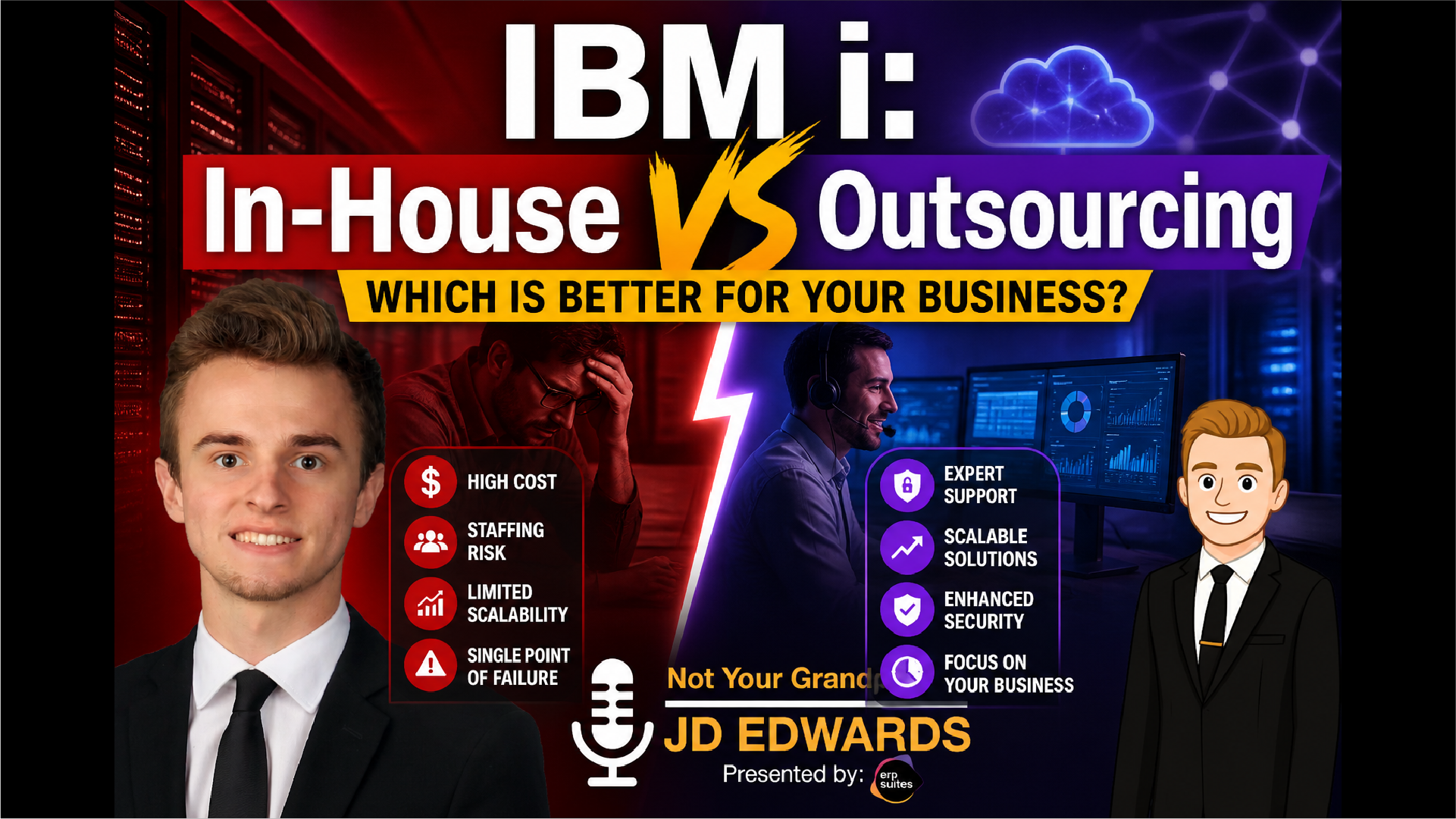
This episode explores one of the biggest operational questions facing IBM i teams today: should you continue managing your IBM i environment in-house, or should you outsource some or all of that responsibility to a managed service provider? The conversation breaks down the decision in practical terms, focusing on control, staffing, cost, risk, performance, security, and long-term support.
With guest Tim Kramer, the episode explains that this is not a simple “in-house is better” or “outsourcing is better” conversation. In-house management can offer full control over the stack, but it also requires the right staff, backup coverage, documentation, monitoring, and succession planning. Outsourcing can provide broader support, 24/7 monitoring, specialized expertise, and scalability, but it also changes how decisions and requests are handled.
Ultimately, the episode makes the case that the real question is not who manages IBM i today. The better question is whether your current management model is resilient, secure, and sustainable for the future.
Table of Contents
- Introduction to IBM i Management: Control vs Support
- What Managing IBM i In-House Really Looks Like
- The Advantages of Keeping IBM i In-House
- Where In-House IBM i Management Becomes Difficult
- What Changes When You Outsource IBM i
- Cost Differences Between In-House and Outsourced IBM i
- Risk and Security: The Problem with Single-Person Dependency
- Performance and Reliability: Reactive vs Proactive Management
- Common Mistakes Companies Make When Evaluating IBM i Outsourcing
- Is IBM i Outsourcing All-or-Nothing?
- Final Takeaway: The Decision Is About Preparedness
Introduction to IBM i Management: Control vs Support
Should you manage your IBM i environment in-house, or should you outsource it?
And maybe the bigger question is this: if your IBM i system has been stable for years, does that actually mean your business is protected long term?
In this episode of Not Your Grandpa’s JD Edwards, we’re looking at the difference between managing IBM i internally and working with a managed service provider. This is a question many companies eventually face, especially as IBM i talent becomes harder to find, existing staff members approach retirement, and business leaders start thinking more seriously about security, support coverage, and scalability.
Joining the conversation is Tim Kramer, a longtime IBM i expert at ERP Suites. Tim has worked closely with IBM i environments and understands the realities companies face when they rely on these systems to support critical business operations.
The goal of this discussion is not to convince every company to outsource. It is to help business and IT leaders understand what they are actually responsible for when they manage IBM i in-house, what changes when they outsource, and how to decide which model fits their business.
What Managing IBM i In-House Really Looks Like
The biggest difference between managing IBM i in-house and outsourcing it comes down to responsibility.
When IBM i is managed in-house, your company controls the environment from top to bottom. That usually includes the hardware in your data center, the operating system, the applications running on that system, the upgrade schedule, the support model, and the people responsible for keeping everything running.
As Tim explains, an in-house IBM i environment is not usually managed by one simple role. Depending on the size and complexity of the business, it may involve infrastructure staff, IBM i administrators, database administrators, backend connectivity teams, business analysts, application specialists, and people who understand specific business processes or application silos.
That means in-house management gives you direct control, but it also requires a broad range of expertise.
For many companies, this is where the decision starts to become more complicated. It is not just about whether the system is currently running. It is about whether the company has the people, processes, and coverage required to support that system when something changes, breaks, grows, or needs to be modernized.
The Advantages of Keeping IBM i In-House
The clearest advantage of keeping IBM i in-house is control.
When your internal team manages the full stack, your company decides how the environment is run. You control the hardware. You control when the hardware is replaced. You control the applications. You control when upgrades happen. You control the internal processes around change, troubleshooting, support, and maintenance.
For some organizations, that level of control is important. If you have a large, experienced, well-documented internal team with strong coverage and a mature support process, in-house management may still make sense.
It can also be a good fit when your business has very specific internal requirements, a strong IBM i knowledge base, and enough staff to handle daily support, off-hours coverage, upgrades, monitoring, and long-term planning.
But the key point is that control only works if the business can truly support the responsibility that comes with it.
Where In-House IBM i Management Becomes Difficult
The biggest challenge with in-house IBM i management is usually staffing.
Many companies have people on staff who know the system extremely well, but that knowledge is often concentrated in a small number of individuals. One person may know a specific application. Another may understand a certain part of the infrastructure. Another may know how a particular process was built years ago.
That can create silos.
The risk becomes more serious when those employees retire, leave the company, go on vacation, or become unavailable during a critical issue. If knowledge has not been documented or transferred, the company can quickly find itself dependent on people who are no longer there.
Tim also points out that scaling can be difficult in a purely in-house model. If your business has a sudden increase in demand, seasonal volume, or a short-term spike in usage, your internal environment may not be able to scale quickly. For example, a business that sees most of its activity during a specific season may struggle to predict exactly how much capacity it will need ahead of time.
Coverage is another challenge, especially for small and midsize businesses. A smaller team may be able to support the system during normal business hours, but covering nights, weekends, vacations, new projects, and daily operations at the same time can become difficult.
That is where in-house management can start to feel less like control and more like dependency.
What Changes When You Outsource IBM i
Outsourcing IBM i does not always mean handing over everything.
One of the most important points Tim makes is that outsourcing can be flexible. A company can choose which responsibilities it wants to keep and which responsibilities it wants a managed service provider to handle.
For example, a company may outsource only the hardware. Another may outsource the hardware and operating system. Another may outsource the application management as well. In some cases, the managed service provider may handle upgrades, technology refreshes, daily monitoring, disaster recovery testing, operating system work, and application support.
In other cases, the customer may want to keep upgrades in-house while outsourcing day-to-day management.
The value of outsourcing is that it gives companies access to a broader team of specialists instead of relying on one or two internal people. It also provides 24/7 support, standardized processes, and documented procedures so coverage does not disappear when a specific person is unavailable.
For example, Tim explains that when processes are documented clearly, one team member can step in for another without losing continuity. That matters when someone is on vacation, unavailable, or no longer with the company.
This does not remove the need for communication or planning. In fact, one of the tradeoffs of outsourcing is that the decision process changes. Instead of walking over to an internal employee and asking them to perform a task immediately, some requests may go through a change management process.
That can feel slower in some situations, but it also creates structure, documentation, and accountability.
So the tradeoff is not simply “control vs no control.” It is more accurate to say that in-house management gives direct control, while outsourcing provides scalability, coverage, standardization, and support.
Cost Differences Between In-House and Outsourced IBM i
Cost is one of the biggest factors companies consider when comparing in-house IBM i management and outsourcing.
On the in-house side, the most obvious cost is staffing. IBM i talent is specialized, and companies may need to pay for administrators, analysts, infrastructure support, database expertise, application specialists, developers, or outside consultants. Depending on the role and experience level, costs can vary widely.
Tim notes that some roles may be lower-cost support positions, while experienced analysts and consultants can become significantly more expensive. In some cases, senior expertise may involve six-figure salaries or consulting rates that reach several hundred dollars per hour.
Training is another cost. When you bring in new employees, you have to onboard them, train them, and help them understand your specific applications and environment. That is not always easy with IBM i, especially when the available talent pool is shrinking.
There is also the cost of hardware replacement cycles. If you manage IBM i in-house, you may face major budget events every few years when hardware needs to be replaced, upgraded, purchased, or leased.
Outsourcing changes the cost structure. Instead of carrying every staffing, training, hardware, and coverage cost separately, companies usually move toward a more predictable monthly cost. The managed service provider already has the team, tools, processes, and support model in place.
That does not mean outsourcing is automatically cheaper in every situation. The cost depends on what you outsource, how complex your environment is, how much support you need, and whether you are outsourcing hardware, operating system work, application support, upgrades, disaster recovery, or all of the above.
But when companies factor in hiring difficulty, training time, backup coverage, downtime risk, and the cost of specialized expertise, outsourcing can often reduce the total cost compared to a fully in-house model.
Risk and Security: The Problem with Single-Person Dependency
One of the biggest risks in an IBM i environment is dependency on a specific person.
If one employee holds critical knowledge and that knowledge has not been cross-trained or documented, the business has a major vulnerability. That person may be excellent at their job, but if they retire, leave, go on vacation, or become unavailable during an issue, the company may not have a clear backup plan.
This is especially risky when the employee understands a specific application, process, or environment that no one else fully knows.
Tim explains that many companies underestimate this risk. They assume the team can handle it because the system has been stable. But stability does not always mean the environment is well protected. Sometimes it only means nothing visible has gone wrong yet.
Outsourcing can reduce this risk by replacing single-person dependency with a team-based support model. A managed service provider typically has multiple people who can monitor, support, troubleshoot, and respond to issues. It also usually includes 24/7 monitoring, which is difficult for smaller internal teams to provide on their own.
Security is part of this conversation as well.
If no one is watching the system overnight, on weekends, or during holidays, gaps can form. A managed service provider is generally built around continuous monitoring and proactive response. That does not mean every internal team is insecure, but it does mean companies need to be honest about their actual coverage.
If your IBM i environment is only being monitored during business hours, your risk profile is different from an environment that is watched around the clock.
Performance and Reliability: Reactive vs Proactive Management
Performance is another area where the two models often differ.
In many in-house environments, performance work gets pushed to the back burner. The team is focused on keeping the business running, supporting users, handling daily issues, and managing new requests. Performance may only become a priority when there is spare time or when a problem becomes too visible to ignore.
In an outsourced or hosted environment, performance monitoring is typically more continuous. Alerts and warnings can be set up to identify problems earlier, such as latency issues or application slowdowns.
Tim gives the example of an end user in another country experiencing latency while the system is hosted in the United States. In a proactive model, that issue can be detected and investigated quickly. In a less monitored in-house model, it may fall through the cracks until users complain or productivity is affected.
Outsourced environments also tend to be more standardized. Hardware is replaced on a regular schedule, providers often have multiple systems available, and larger support teams can respond more quickly.
That is one of the key differences between the two models: in-house teams can become reactive because they are stretched thin, while managed service providers are usually structured to be proactive.
Common Mistakes Companies Make When Evaluating IBM i Outsourcing
One of the most common mistakes companies make is waiting too long.
Tim shares an example of a company that had two key employees who knew a critical ERP application. Both were close to retirement, and both gave notice around the same time. Within a few months, the company was at risk of losing the two people who understood the application best.
The company was able to work through the situation, but it created unnecessary pressure. That is exactly the kind of scenario businesses should try to avoid.
Another common mistake is overestimating the ability of the next person in line to take over. Just because someone is on the team does not mean they have been properly trained, cross-trained, or prepared to assume responsibility for a complex IBM i environment.
The opposite mistake also happens: companies underestimate the amount of risk they already have. If they are not seeing issues, they assume there are no issues. But not seeing a problem does not mean the environment is secure, scalable, or well documented.
This is why an assessment can be helpful. It does not mean the company has to outsource. It simply gives the business a clearer view of its current environment, staffing model, risks, coverage gaps, and long-term support needs.
Is IBM i Outsourcing All-or-Nothing?
No. IBM i outsourcing does not have to be all-or-nothing.
This is one of the most important takeaways from the episode.
Tim explains that there are many different versions of outsourcing. Some companies only need vacation coverage for an internal administrator. For example, a managed service provider may cover the environment for a few weeks each year while the internal admin takes time off.
Other companies may only need after-hours support. Tim gives the example of customers who receive coverage from 5 p.m. to 8 a.m., allowing the internal administrator to manage the system during the day while still having support overnight.
Other companies outsource everything. That may include hosting, hardware, disaster recovery testing, operating system management, ERP application support, upgrades, and daily operations.
There are also hybrid situations where the hardware remains in the customer’s data center, but a managed service provider manages that physical hardware, the operating system, the application, or some combination of those responsibilities.
The point is that outsourcing does not automatically mean giving up control. It can simply mean filling the gaps your internal team cannot reasonably cover on its own.
Final Takeaway: The Decision Is About Preparedness
The decision between managing IBM i in-house and outsourcing it is not about which model is universally better.
It is about understanding your risk, your team, your documentation, your support coverage, your security posture, and your ability to keep the system running long term.
In-house management can work well when a company has the right people, processes, monitoring, budget, and backup coverage. Outsourcing can work well when a company needs broader expertise, 24/7 monitoring, predictable costs, scalability, or support for areas where the internal team is stretched thin.
The most important thing is not to wait until the business is forced into a decision.
If key employees are nearing retirement, if support coverage is thin, if performance is only reviewed when something goes wrong, or if no one is fully confident in the disaster recovery plan, it may be time to evaluate the environment.
That evaluation does not have to lead to full outsourcing. It may lead to partial support, after-hours monitoring, project-based help, or simply a better internal plan.
But the companies that get ahead of this decision are usually the ones that stay in control.
If you are trying to determine whether your IBM i environment is better suited for in-house management, outsourcing, or a hybrid model, ERP Suites can help you evaluate your current setup, identify gaps, and build a strategy that fits your business.
The big takeaway from this episode is simple: this decision is not about preference. It is about preparedness. The real risk is not IBM i itself. It is how IBM i is being managed.
Topics: